
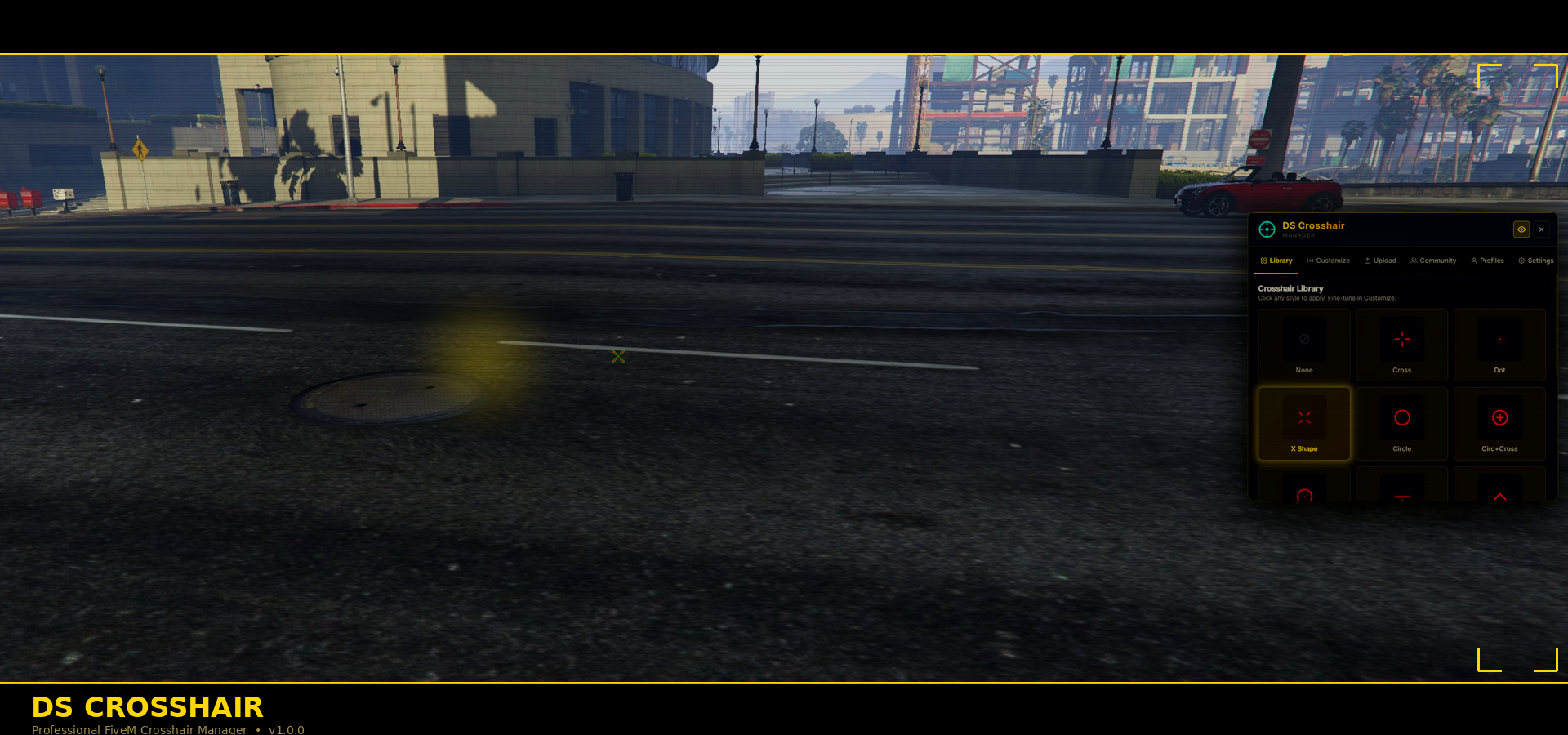
# DS Crosshair — Professional Crosshair Manager (Lifetime)
**The most complete crosshair manager available for FiveM.**
DS Crosshair gives players a sleek, floating tablet UI to design, save, and switch crosshairs — all without ever leaving the game. Built from the ground up for FiveM with zero framework dependencies, full server-side security, and Discord moderation tools baked in.
---
## 🎯 What Is It?
A right-side floating tablet that lets players fully control their crosshair. Open it with `/chm`, customise your crosshair, close it, and play. That's it.
---
## ✨ Feature Highlights
New-Added Hit Markers
**16 Built-in Crosshair Styles**
Cross · Dot · X Shape · Circle · Circle+Cross · Circle+Dot · T-Shape · Chevron · Square · Diamond · Sniper · Minimal · Brackets · Military · Arrow · None
**Full Customisation**
Colour picker with HSL sliders, hex input, and 16 quick-select presets. Adjust size, thickness, center gap, opacity, outline, and center dot — all previewed live.
**Custom PNG Crosshairs**
Upload your own PNG crosshair images with transparency support. All uploads are automatically forwarded to a Discord webhook for admin review.
**Discord Image Moderation**
Every uploaded image is posted to your Discord channel with the player's name, identifier, and a unique Image ID. Admins can remove any image from the game and delete its Discord post with a single command — `/dscdelete \`.
**Community Tab**
Players can share their crosshair presets with everyone on the server. Configurable per-server, with per-player limits to prevent abuse.
**Profile System**
Save unlimited named presets. Load, duplicate, or delete them at any time.
**Weapon-Drawn Mode**
Optionally show the crosshair only when a weapon is drawn — configurable server-wide or per player.
**Role Restriction**
Lock the tablet behind an ACE permission if you want to offer it as a VIP or whitelist perk.
---
## 🔐 Security Built In
Every client→server event is protected:
- Server-side ACE permission gate on all actions
- PNG magic byte validation (rejects non-image payloads)
- Per-player rate limiting and session upload caps
- Payload size caps on all incoming data
- Input sanitisation — no injection via names or config fields
- Crosshair config validation — clamps all numerics, validates hex colours
- Image data immediately discarded after Discord forwarding
---
## 📦 Escrow Ready
`config.lua` is excluded from obfuscation via `escrow_ignore` in the manifest — **you will always be able to edit your settings**. All other files (`client.lua`, `server.lua`, `html/`) are protected.
---
## 🔧 Framework Independent
Works on any FiveM server with no dependencies — ESX, QBCore, vRP, standalone, or any custom framework. Zero shared exports. Zero framework events.
---
## ⚡ Quick Start
```
1. Drop ds-crosshair/ into your resources/ folder
2. Add `start ds-crosshair` to server.cfg
3. Done
```
Open with `/chm` — close with `Esc` or `Backspace`.
---
## ⚙️ Configuration Highlights
```lua
-- Restrict to ACE permission (off by default — everyone can use it)
Config.UseRoleRestriction = false
-- Discord webhook for image moderation
Config.WebhookURL = '...'
-- Only show crosshair when a weapon is drawn
Config.WeaponDrawnOnly = false
-- Community sharing tab
Config.EnableCommunityTab = true
```
---
## 🗂️ What's Included
| File | Purpose |
|------|---------|
| `config.lua` | All server settings — always plain text, never obfuscated |
| `client.lua` | NUI bridge, crosshair overlay, KVP persistence |
| `server.lua` | ACE gate, community store, Discord webhook, admin commands |
| `html/` | Tablet UI — yellow & black theme, animated |
---
**16 crosshair styles · Custom colour picker · PNG uploads · Discord moderation · Community sharing · Profiles · Weapon-drawn mode · Role restriction · Full security · Escrow-ready**